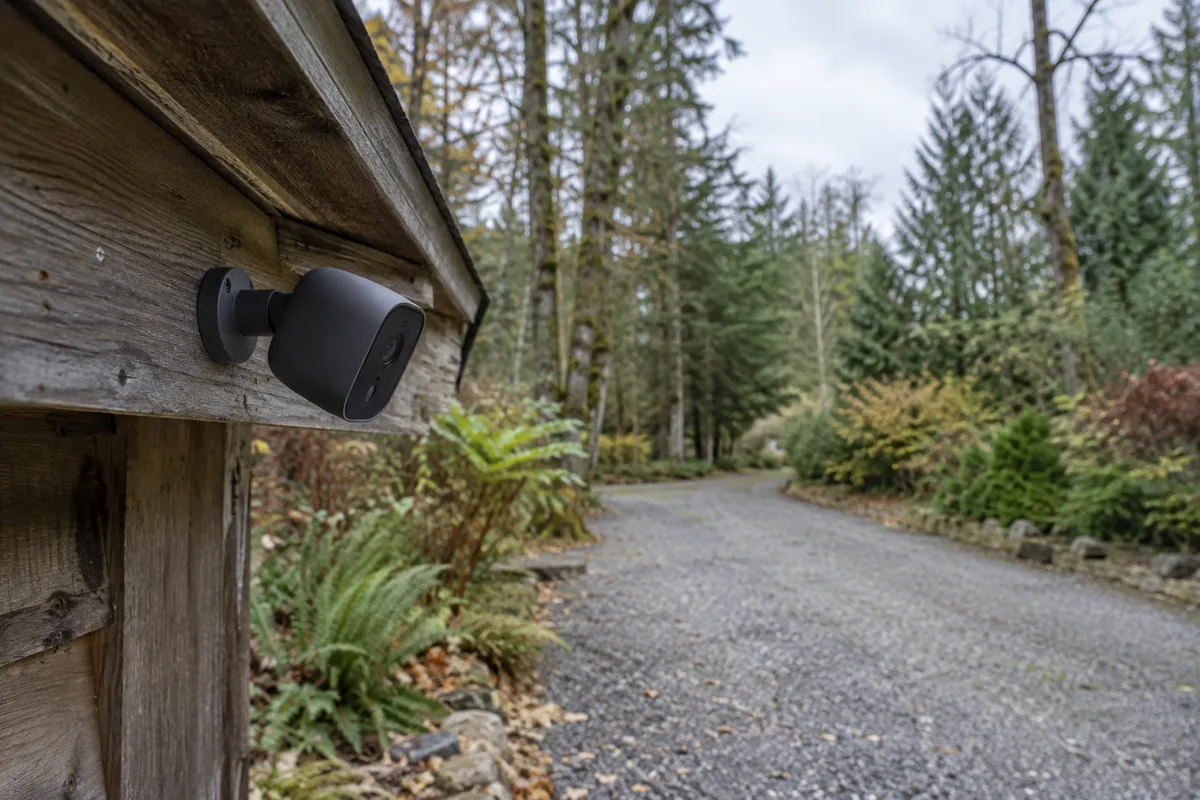
A cabin camera needs two separate plans: how it gets power and how you receive its recordings. A solar panel addresses part of the first question. It does not create an internet connection.
Start with the connection you actually have, then choose the recording behavior. A camera that saves short motion clips is a different load from one that records continuously. This guide compares three approaches and one checked cellular-camera bundle. We have not field-tested the equipment or its winter endurance.
Choose your connection first
- There is usable mobile coverage at the cabin: investigate a cellular camera with a compatible regional modem, SIM and data plan. Confirm coverage where the camera will be mounted.
- There is already a working internet connection: a network camera may use that connection, but include the router and any modem in the power budget. “Wireless” can describe Wi-Fi rather than cellular service.
- There is no dependable connection: consider local recording that you retrieve during visits. Check the exact device's setup and offline-recording requirements. Without an alternative communication path, you will not receive remote alerts while it is offline.
A phone signal at the road is a useful lead, not a successful camera installation test. The cabin wall, mounting height, antenna, modem bands and carrier can change the result. Test the proposed location and equipment before the return period ends.
If internet is also needed for work or calls, compare the wider choices in mobile or satellite internet. Buying a separate data plan for each camera may be less useful than sharing an existing connection, but only when that connection and its power can remain available.
Decide what you need to see
“I want to know someone arrived” may be satisfied by a motion clip and a notification. “I need a record of the whole afternoon” calls for scheduled or continuous recording and a different storage and energy calculation. An impressive resolution label does not settle either requirement.
Check the field of view from the proposed mounting point. A pan-and-tilt camera can look in different directions, but it is not recording every direction at once. A higher mount may protect the hardware while making faces or events less useful to review.
Write down the event, distance, lighting and response you care about. Review a real sample from that location. A device can detect movement successfully yet still fail to show the detail you hoped to identify.
A checked cellular bundle
The Reolink Altas Go PT bundle — opens Amazon US in a new tab examined here contains one Altas Go PT, Solar Panel 3, a SIM card and an RLA-BP1 external battery. It is a 2K cellular camera bundle, not the 4K Go PT Ultra or the Wi-Fi Altas PT Ultra. Similar names are a reason to check the actual listing, not to merge specifications.
The US manufacturer specifications list motion-triggered, scheduled and continuous recording, along with local microSD storage up to 512 GB. These features make it a candidate where the recording requirement extends beyond occasional motion clips.
It is not the automatic choice for a lightly visited cabin. If short clips are enough, compare the total cost and maintenance of a simpler motion-recording arrangement before paying for extra battery capacity. If there is no supported LTE service at the site, this bundle does not solve the core problem.
Treat the SIM as a continuing cost
A SIM included in the box does not mean lifetime data is included. Identify the available plan, coverage, activation process, renewal behavior and what happens when the allowance ends.
Use Reolink's current SIM guidance and the regional camera specification to check the supported service. Do not assume that a plan working in a phone is suitable for the camera, or that European and US hardware are interchangeable.
Ask which actions consume cellular data: live viewing, remote playback, uploaded clips and other connected services. A local recording and a remotely viewed recording are not the same data event. The actual allowance depends on settings and use, so start with a measured trial rather than an invented monthly total.
Record recurring data costs separately from the equipment purchase in your plan. Keep any optional cloud-storage charge separate again; storage service and mobile connectivity solve different problems.
Separate local evidence from remote access
Local storage is useful when footage needs to survive a temporary connection outage, provided the selected device supports the intended offline behavior. Test that behavior after setup by following the manufacturer's procedure; do not assume every battery camera behaves alike.
Local storage remains at the cabin. If the camera and card disappear together, you may lose that evidence. Decide whether selected remote copies are necessary and verify which upload or cloud options the exact model and region support.
Check the card format, capacity and endurance guidance before choosing storage. Review overwrite behavior, time settings and the practical method for finding an event. A full card with an incorrect clock can be far less useful than its capacity suggests.
Budget power for your recording mode
Manufacturer sunshine and battery-life examples depend on conditions and recording settings. They are not a guarantee of continuous service at a shaded winter cabin. More motion events, remote viewing and different reception can change the duty cycle.
The RLA-BP1 support guide describes a 92 Wh external pack and its own low-temperature charging behavior. Those limits belong to the pack; they do not replace the camera's operating limits or establish that every part of the bundle can charge identically in the cold.
Choose a panel position that suits solar exposure, then check whether the cable arrangement also permits the camera's useful viewpoint. A good place to see the doorway can be a poor place to receive sunlight. Include cable reach, protected connectors and maintenance access before fastening anything.
During a representative trial, record battery trend across several ordinary days, a busy day and poor weather. Set an intervention point and identify who can recharge or inspect the equipment. Do not leave the system unattended for weeks merely because the app showed a full battery on installation day.
Plan a response, not only a notification
An alert is a message, not a person at the cabin. Decide who checks it and what they can do. Repeated nuisance notifications can make an otherwise functioning camera easy to ignore; adjust the monitored area and schedule around the event you actually care about.
Keep the view focused on your own entrance or equipment, minimize unnecessary audio or neighboring-property capture, and check the rules that apply where the cabin stands. Use a strong account password and the security options supported by the service. Avoid posting camera access details in project notes or shared screenshots.
For temperature, leaks and other upkeep concerns, the remote monitoring guide is a separate decision. A camera looking at a shed is not a substitute for a correctly placed sensor.
Your before-you-buy check
Confirm the exact regional model and bundle contents; a compatible plan with measured site coverage; the required recording mode; the storage and retrieval method; the winter power arrangement; and a person who can respond when remote access fails.
Save the candidate to your plan with those checks unresolved until you have evidence. If the connection is unknown, investigating it is the next step. If remote alerts are unnecessary, choose local retrieval deliberately. The useful camera is the one that supports the job you defined, within a system you can keep working.
Equipment for this approach
Consider for your setup
Reolink Altas Go PT + Solar Panel 3 + RLA-BP1 battery bundle
A cellular candidate only after compatible US coverage is established. This exact bundle adds a solar panel and external battery, with data service and storage to check separately.
The checked Amazon bundle includes one Altas Go PT cellular camera, Solar Panel 3, a SIM card and the RLA-BP1 external battery. It is the 2K Altas model, not the 4K Go PT Ultra.
Suitable for: A US cabin with verified compatible LTE coverage, where remote viewing and longer local recording justify a cellular data plan and extra battery hardware.
Limits, compatibility & other parts
- Keep in mind
- Not a solution to absent mobile coverage. Solar charging and the extra battery do not guarantee unlimited winter operation. Local recordings can be lost with a stolen camera.
- Check compatibility
- Verify the US camera/SIM variant and current carrier coverage at the mounting point. The camera supports motion, scheduled and continuous recording; recording mode, signal and temperature change demand. RLA-BP1 compatibility and charging limits are separate from camera operating limits.
- Other parts needed
- Budget the ongoing cellular plan and a compatible endurance microSD card if not included. Confirm current bundle contents, mounting hardware and cable routing. Cloud storage is optional and region-dependent.
Save this candidate to my plan
Product information checked 25 September 2026. Check current options and availability on Amazon.